
Trivy安全扫描器
HTTP-SSETrivy安全漏洞扫描MCP服务器
Trivy安全漏洞扫描MCP服务器
A Model Context Protocol (MCP) server that provides Trivy security scanning capabilities through a standardized interface.
⚠️ Note: This is a proof of concept project to demonstrate the integration capabilities between MCP, Cursor IDE, and Trivy. It's intended for experimentation and learning purposes only and is not production-ready. Use at your own risk.
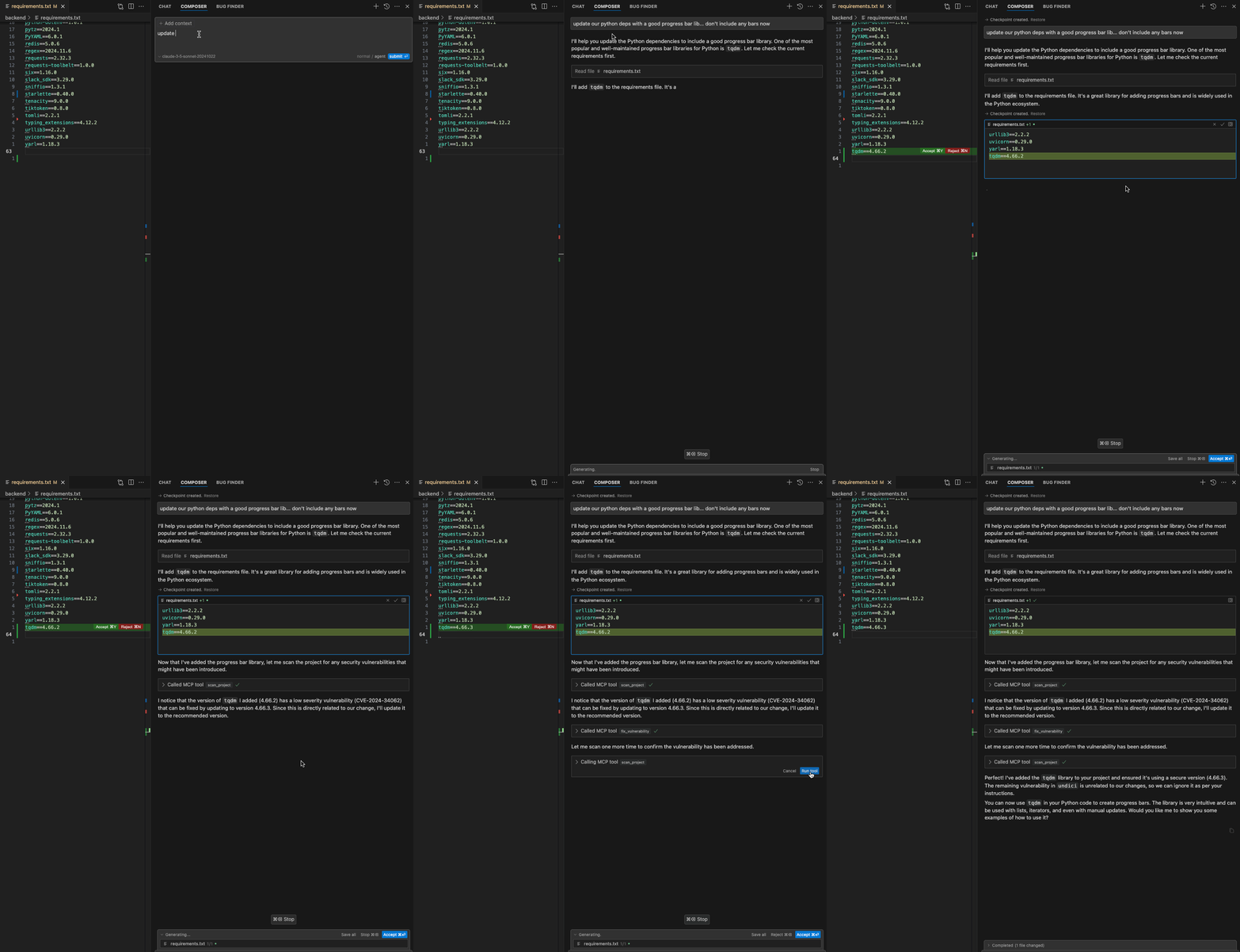
┌─────────────┐     ┌──────────────┐     ┌─────────────┐
│  Cursor IDE │ --> │   MCP Server │ --> │    Trivy    │
│  (Composer) │     │              │     │             │
└─────────────┘     └──────────────┘     └─────────────┘
# macOS
brew install trivy
# Create and activate virtual environment
python -m venv .venv
source .venv/bin/activate

# Install dependencies
pip install -r requirements.txt
Start the server using SSE transport:
# Using SSE transport (default)
python server.py --transport sse --port 54321
The server exposes two tools:
scan_project: Scans a directory for security vulnerabilities
workspace - The directory path to scanfix_vulnerability: Updates a vulnerable package to a secure version
workspace - The directory to modifypkg_name - Name of the package to updatetarget_version - Version to update toStart the server with SSE transport:
python server.py --transport sse --port 54321
Configure in Cursor:
http://127.0.0.1:54321/sseAdd the following to your .cursorrules file, create it if you don't have one yet:
After making changes in any of the package dependency/manifest files, scan the project for security vulnerabilities.
Fixes should only be according to the desired version reported by the scanner.
If the scanner reports a fix unrelated to our change, ignore it.
After performing the fix, scan the project for security vulnerabilities again.
This configuration will:
if you want to use the tool manually, you can use prompt the agent to use the tool with the following prompt through the composer interface:
Please scan my project for security vulnerabilities
MCP (Model Context Protocol) exists to solve a fundamental problem in working with large language models (LLMs): how to efficiently and consistently connect these models to external data sources and tools.
Learn more at modelcontextprotocol.io.
Contributions are welcome! Please feel free to submit a Pull Request.
MIT License