
开发工具
STREAMABLE HTTPSTDIOHTTP-SSE模块化MCP开发工具服务器
模块化MCP开发工具服务器
A single, high-performance MCP server that replaces many Node.js and Python-based MCP servers with one efficient Go binary, providing access to essential developer tools through a unified, modular interface that can be easily extended with new tools.
Default Tools
graph LR
    A[MCP DevTools<br>Server]

    A --> B[Search &<br>Discovery]
    A --> E[Intelligence &<br>Memory]
    A --> F[Utilities]

    B --> B_Tools[🌐 Internet Search<br>📡 Web Fetch<br>📦 Package Search<br>📚 Package Documentation<br>🐙 GitHub]

    E --> E_Tools[🧠 Think Tool]

    F --> F_Tools[🧮 Calculator<br>🕵 Find Long Files]

    classDef components fill:#E6E6FA,stroke:#756BB1,color:#756BB1
    classDef decision fill:#FFF5EB,stroke:#FD8D3C,color:#E6550D
    classDef data fill:#EFF3FF,stroke:#9ECAE1,color:#3182BD
    classDef process fill:#EAF5EA,stroke:#C6E7C6,color:#77AD77

    class A components
    class B,B_Tools decision
    class E,E_Tools data
    class F,F_Tools process
Additional Tools (Disabled by Default)
graph LR
    A[MCP DevTools<br>Server]

    A --> B[Search &<br>Discovery]
    A --> C[Document<br>Processing]
    A --> E[Intelligence &<br>Memory]
    A --> F[Utilities]
    A --> G[Agents]
    A --> D[UI Component<br>Libraries]
    A --> H[MCP]

    B --> B_Tools[📝 Terraform Docs<br>☁️ AWS Documentation & Pricing]

    C --> C_Tools[📄 Document Processing<br>📈 Excel Spreadsheets<br>📑 PDF Processing]

    E --> E_Tools[🔢 Sequential Thinking<br>🕸️ Memory Graph]

    F --> F_Tools[🇬🇧 American→English<br>🔌 API Integrations<br>📁 Filesystem<br>✂️ Code Skim<br>🏷️ Code Rename]

    G --> G_Tools[🤖 Claude Code<br>🎯 Codex CLI<br>🐙 Copilot CLI<br>✨ Gemini CLI<br>👻 Kiro]

    D --> D_Tools[🎨 ShadCN UI<br>✨ Magic UI<br>⚡ Aceternity UI]

    H --> H_Proxy[🌐 MCP Proxy]

    classDef components fill:#E6E6FA,stroke:#756BB1,color:#756BB1
    classDef llm fill:#E5F5E0,stroke:#31A354,color:#31A354
    classDef process fill:#EAF5EA,stroke:#C6E7C6,color:#77AD77
    classDef data fill:#EFF3FF,stroke:#9ECAE1,color:#3182BD
    classDef decision fill:#FFF5EB,stroke:#FD8D3C,color:#E6550D
    classDef api fill:#FFF5F0,stroke:#FD9272,color:#A63603
    classDef ui fill:#F3E5F5,stroke:#AB47BC,color:#8E24AA

    class A components
    class B,B_Tools decision
    class C,C_Tools api
    class D,D_Tools ui
    class E,E_Tools data
    class F,F_Tools process
    class G,G_Tools llm
    class H_Proxy api
🚀 Single Binary Solution
🛠 Comprehensive Tool Suite
The easiest way to install MCP DevTools is using the automatic installer:
curl -fsSL https://raw.githubusercontent.com/sammcj/mcp-devtools/main/install.sh | bash
This will:
$GOPATH/bin or uses ~/.local/bin)~/.mcp-devtools/examples/Customisation:
# Dry run (shows what would be done without making changes)
DRY_RUN=1 curl -fsSL https://raw.githubusercontent.com/sammcj/mcp-devtools/main/install.sh | bash

# Install to a specific directory
INSTALL_DIR=/custom/path curl -fsSL https://raw.githubusercontent.com/sammcj/mcp-devtools/main/install.sh | bash

# Install a specific version
VERSION=0.50.0 curl -fsSL https://raw.githubusercontent.com/sammcj/mcp-devtools/main/install.sh | bash

# Skip example config generation
NO_CONFIG=1 curl -fsSL https://raw.githubusercontent.com/sammcj/mcp-devtools/main/install.sh | bash

# Skip all confirmation prompts (for automation)
FORCE=1 curl -fsSL https://raw.githubusercontent.com/sammcj/mcp-devtools/main/install.sh | bash
You have a few other options to make MCP DevTools available to your MCP clients:
 If you have Golang installed
The automated installer works great even if you have Golang installed:
curl -fsSL https://raw.githubusercontent.com/sammcj/mcp-devtools/main/install.sh | bash
This will respect your $GOPATH/bin if it's in your PATH, and automatically configure example MCP client settings.
Note that while go run makes it easy to get started, it means every time your client starts to download the tool may not be what you want in the long run.
MCP Client Configuration:
{
  "mcpServers": {
    "dev-tools": {
      "type": "stdio",
      "command": "go",
      "args": [
        "run",
        "github.com/sammcj/mcp-devtools@HEAD"
      ],
      "env": {
        "ENABLE_ADDITIONAL_TOOLS": "security,sequential_thinking,code_skim,code_rename",
        "DISABLED_TOOLS": "",
        "NOTE_FOR_HUMANS": "A minimal set of tools are enabled by default, MCP DevTools provides many additional useful tools including efficient Context7 documentation search, AWS documentation, Frontend UI Framework templates, Code search and optimisation and many others, visit https://github.com/sammcj/mcp-devtools for more information on available tools and configuration"
      }
    }
  }
}
Or if you're using Claude Code you can also add it via the CLI:
claude mcp add --transport stdio mcp-devtools go run github.com/sammcj/mcp-devtools@HEAD


go install github.com/sammcj/mcp-devtools@HEAD
echo "${GOPATH}/bin/mcp-devtools" # Use this path in your MCP configuration, if your GOPATH is not set, please check your Go installation / configuration.

# If you're on macOS, you'll also need to run the following command to allow the downloaded binary to run:
xattr -r -d com.apple.quarantine ${GOPATH}/bin/mcp-devtools
/path/to/mcp-devtools with the actual path to the binary (e.g. /Users/samm/go/bin/mcp-devtools):{ "mcpServers": { "dev-tools": { "type": "stdio", "command": "/path/to/mcp-devtools", "env": { "ENABLE_ADDITIONAL_TOOLS": "security,sequential_thinking,code_skim,code_rename", "DISABLED_TOOLS": "", "NOTE_FOR_HUMANS": "A minimal set of tools are enabled by default, MCP DevTools provides many additional useful tools including efficient Context7 documentation search, AWS documentation, Frontend UI Framework templates, Code search and optimisation and many others, visit https://github.com/sammcj/mcp-devtools for more information on available tools and configuration" } } } }
If you do not have, and do not want to install Golang, you can download the latest release binary from the releases page.
# If you're on macOS, you'll also need to run the following command to allow the downloaded binary to run: xattr -r -d com.apple.quarantine mcp-devtools
Configure your MCP client to use the downloaded binary (replacing /path/to/mcp-devtools ):
{
  "mcpServers": {
    "dev-tools": {
      "type": "stdio",
      "command": "/path/to/mcp-devtools",
      "env": {
        "ENABLE_ADDITIONAL_TOOLS": "security,sequential_thinking,code_skim,code_rename",
        "DISABLED_TOOLS": "",
        "NOTE_FOR_HUMANS": "A minimal set of tools are enabled by default, MCP DevTools provides many additional useful tools including efficient Context7 documentation search, AWS documentation, Frontend UI Framework templates, Code search and optimisation and many others, visit https://github.com/sammcj/mcp-devtools for more information on available tools and configuration"
      }
    }
  }
}
These tools can be disabled by adding their function name to the DISABLED_TOOLS environment variable in your MCP configuration.
| Tool | Purpose | Dependencies | Example Usage | Maturity |
|---|---|---|---|---|
| Internet Search | Multi-provider internet search | None (Provider keys optional) | Web, image, news, video search | 🟢 |
| Web Fetch | Retrieve internet content as Markdown | None | Documentation and articles | 🟢 |
| GitHub | GitHub repositories and data | None (GitHub token optional) | Issues, PRs, repos, cloning | 🟢 |
| Package Documentation | Context7 library documentation lookup | None | React, mark3labs/mcp-go | 🟢 |
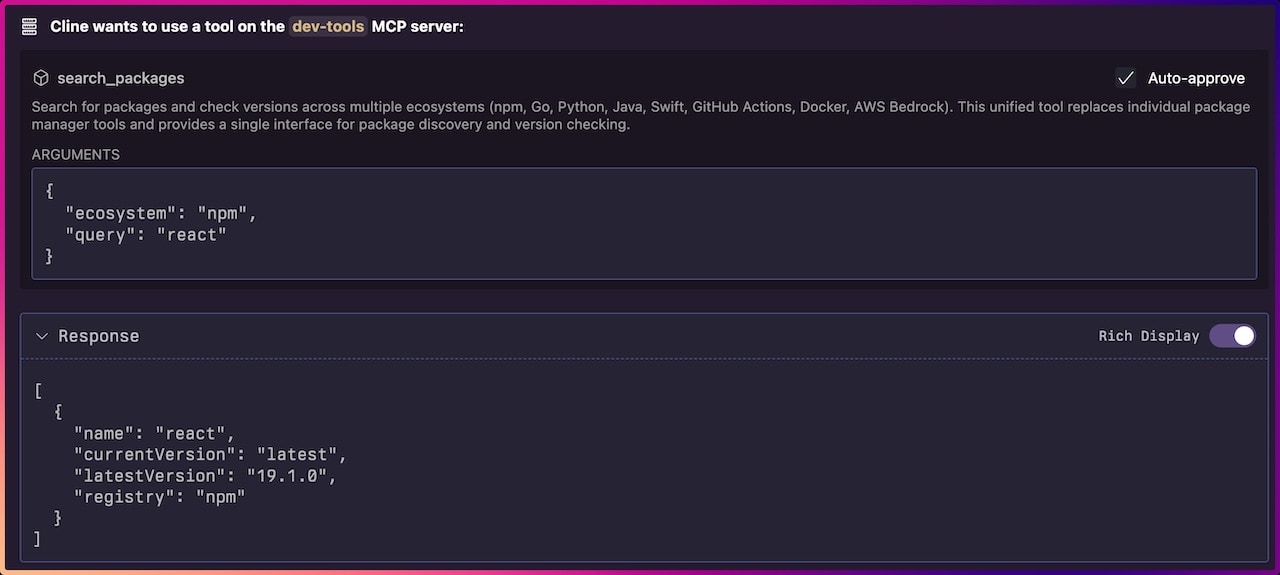
| Package Search | Check package versions | None | NPM, Python, Go, Java, Docker | 🟢 |
| Think | Structured reasoning space | None | Complex problem analysis | 🟢 |
| Calculator | Basic arithmetic calculations | None | 2 + 3 * 4, batch processing | 🟢 |
| DevTools Help | Extended info about DevTools tools | None | Usage examples, troubleshooting | 🟢 |
| Find Long Files | Identify files needing refactoring | Find files over 700 lines | 🟢 |
These tools can be enabled by setting the ENABLE_ADDITIONAL_TOOLS environment variable in your MCP configuration.
| Tool | Purpose | ENABLE_ADDITIONAL_TOOLS | Example Usage | Maturity |
|---|---|---|---|---|
| American→English | Convert to British spelling | murican_to_english | Organise, colour, centre | 🟡 |
| Code Skim | Return code structure without implementation details | code_skim | Reduced token consumption | 🟡 |
| Code Rename | LSP-based symbol renaming across files (experimental) | code_rename | Rename functions, variables, types | 🔴 |
| ShadCN UI Component Library | Component information | shadcn | Button, Dialog, Form components | 🟢 |
| Magic UI Component Library | Animated component library | magic_ui | Frontend React components | 🟠 |
| Aceternity UI Component Library | Animated component library | aceternity_ui | Frontend React components | 🟠 |
| Memory | Persistent knowledge graphs | memory | Store entities and relationships | 🟡 |
| Document Processing | Convert documents to Markdown | process_document | PDF, DOCX → Markdown with OCR | 🟡 |
| PDF Processing | Fast PDF text extraction | pdf | Quick PDF to Markdown | 🟢 |
| Excel | Excel file manipulation | excel | Workbooks, charts, pivot tables, formulas | 🟢 |
| AWS Documentation & Pricing | AWS documentation & pricing search and retrieval | aws_documentation | Search and read AWS docs, recommendations | 🟡 |
| Terraform Documentation | Terraform Registry API (providers, modules, and policies) | terraform_documentation | Provider docs, module search, policy lookup | 🟡 |
| Security Framework | Context injection security protections | security | Content analysis, access control | 🟢 |
| Security Override | Agent managed security warning overrides | security_override | Bypass false positives | 🟡 |
| Sequential Thinking | Dynamic problem-solving through structured thoughts | sequential-thinking | Step-by-step analysis, revision, branching | 🟢 |
| API to MCP | Dynamic REST API integration | api | Configure any REST API via YAML | 🔴 |
| Filesystem | File and directory operations | filesystem | Read, write, edit, search files | 🟡 |
| MCP Proxy | Proxies MCP requests from upstream HTTP/SSE servers | proxy | Provide HTTP/SSE MCP servers to STDIO clients | 🟡 |
Agents as Tools - In addition to the above tools, MCP DevTools can provide access to AI agents as tools by integrating with external LLMs.
| Agent | Purpose | ENABLE_ADDITIONAL_TOOLS | Maturity |
|---|---|---|---|
| Claude Agent | Claude Code CLI Agent | claude-agent | 🟡 |
| Codex Agent | Codex CLI Agent | codex-agent | 🟡 |
| Copilot Agent | GitHub Copilot CLI Agent | copilot-agent | 🟡 |
| Gemini Agent | Gemini CLI Agent | gemini-agent | 🟡 |
| Kiro Agent | Kiro CLI Agent | kiro-agent | 🟡 |
👉 See detailed tool documentation
Option 1: Go Install (recommended)
go install github.com/sammcj/mcp-devtools@HEAD
Option 2: Build from Source
git clone https://github.com/sammcj/mcp-devtools.git
cd mcp-devtools
make build
Option 4: Download Release Download the latest binary from releases and place in your PATH and remember to check for updates!
STDIO
{
  "mcpServers": {
    "dev-tools": {
      "type": "stdio",
      "command": "/path/to/mcp-devtools",
      "env": {
        "BRAVE_API_KEY": "This is optional ",
      }
    }
  }
}
Replacing /path/to/mcp-devtools with your actual binary path (e.g., /Users/yourname/go/bin/mcp-devtools).
Note: The BRAVE_API_KEY is optional and only needed if you want to use the Brave Search provider. Other providers like Google, Kagi, SearXNG, and DuckDuckGo are also available. See the Internet Search documentation for more details.
Streamable HTTP
mcp-devtools --transport http --port 18080
{
  "mcpServers": {
    "dev-tools": {
      "type": "streamableHttp",
      "url": "http://localhost:18080/http"
    }
  }
}
MCP DevTools supports three transport modes for different use cases:
Best for: Simple, local use with MCP clients like Claude Desktop, Cline, etc.
{
  "mcpServers": {
    "dev-tools": {
      "type": "stdio",
      "command": "/path/to/mcp-devtools",
      "env": {
        "BRAVE_API_KEY": "your-api-key-if-needed"
      }
    }
  }
}
Best for: Production deployments, shared use, centralised configuration
# Basic HTTP mode
mcp-devtools --transport http --port 18080

# With authentication
mcp-devtools --transport http --port 18080 --auth-token mysecrettoken

# With OAuth (see OAuth documentation)
mcp-devtools --transport http --port 18080 --oauth-enabled
Client Configuration:
{
  "mcpServers": {
    "dev-tools": {
      "type": "streamableHttp",
      "url": "http://localhost:18080/http",
    }
  }
}
All environment variables are optional, but if you want to use specific search providers or document processing features, you may need to provide the the appropriate variables.
General:
LOG_LEVEL - Logging level: debug, info, warn, error (default: warn). Logs are written to ~/.mcp-devtools/logs/mcp-devtools.log for all transports. Stdio transport uses minimum warn level and never logs to stdout/stderr to prevent MCP protocol pollution.LOG_TOOL_ERRORS - Enable logging of failed tool calls to ~/.mcp-devtools/logs/tool-errors.log (set to true to enable). Logs older than 60 days are automatically removed on server startup.ENABLE_ADDITIONAL_TOOLS - Comma-separated list to enable security-sensitive tools (e.g. security,security_override,filesystem,claude-agent,codex-agent,gemini-agent,kiro-agent,process_document,pdf,memory,terraform_documentation,sequential-thinking)DISABLED_TOOLS - Comma-separated list of functions to disable (e.g. think,internet_search)Default Tools:
BRAVE_API_KEY - Enable Brave Search provider by providing a (free Brave search API key)GOOGLE_SEARCH_API_KEY - Enable Google search with API key from Cloud Console (requires Custom Search API to be enabled)GOOGLE_SEARCH_ID - Google Search Engine ID from Programmable Search Engine (required with GOOGLE_SEARCH_API_KEY, select "Search the entire web")KAGI_API_KEY - Enable Kagi Search provider by providing your Kagi API key (requires Kagi subscription)SEARXNG_BASE_URL - Enable SearXNG search provider by providing the base URL (e.g. https://searxng.example.com)CONTEXT7_API_KEY - Optional Context7 API key for higher rate limits and authentication with package documentation toolsMEMORY_FILE_PATH - Memory storage location (default: ~/.mcp-devtools/)PACKAGE_COOLDOWN_HOURS - Hours to wait before recommending newly published packages (default: 72, set to 0 to disable)PACKAGE_COOLDOWN_ECOSYSTEMS - Comma-separated ecosystems for cooldown protection (default: npm, use none to disable)Security Configuration:
FILESYSTEM_TOOL_ALLOWED_DIRS - Colon-separated (Unix) list of allowed directories (only for filesystem tool)Document Processing:
DOCLING_PYTHON_PATH - Python executable path (default: auto-detected)DOCLING_CACHE_ENABLED - Enable processed document cache (default: true)DOCLING_HARDWARE_ACCELERATION - Hardware acceleration (auto (default), mps, cuda, cpu)--transport, -t - Transport type (stdio, sse, http). Default: stdio--port - Port for HTTP transports. Default: 18080--base-url - Base URL for HTTP transports. Default: http://localhost--auth-token - Authentication token for HTTP transportMCP DevTools uses a modular architecture:
Each tool is self-contained and registers automatically when the binary starts.
MCP DevTools includes a configurable security system that provides multi-layered protection for tools that access files or make HTTP requests.
Important: This feature should be considered in BETA, if you find bugs and have solutions please feel free to raise a PR.
# Enable security framework and override tool
# You may optionally also add 'security_override' if you want a tool the agent can use to override security warnings
ENABLE_ADDITIONAL_TOOLS="security"
Configuration is managed through ~/.mcp-devtools/security.yaml with sensible defaults.
👉 Complete Security Documentation
For production deployments requiring centralised user authentication:
Quick example:
# Browser-based authentication
mcp-devtools --transport http --oauth-browser-auth --oauth-client-id="your-client"

# Resource server mode
mcp-devtools --transport http --oauth-enabled --oauth-issuer="https://auth.example.com"
All HTTP-based tools automatically support proxy configuration through standard environment variables:
# HTTPS proxy (preferred)
export HTTPS_PROXY="http://proxy.company.com:8080"

# HTTP proxy (fallback)
export HTTP_PROXY="http://proxy.company.com:8080"

# With authentication
export HTTPS_PROXY="http://username:[email protected]:8080"

# Run with proxy
./bin/mcp-devtools stdio
Supported tools: All network-based tools including package_docs, internet_search, webfetch, github, aws_docs, and others automatically respect proxy settings when configured.
Security: Proxy credentials are automatically redacted from logs for security.
# Pull the image (main is latest)
docker pull ghcr.io/sammcj/mcp-devtools:main

# Run
docker run -d --name mcp-devtools -p 18080:18080 --restart always ghcr.io/sammcj/mcp-devtools:main

# Run with proxy support
docker run -d --name mcp-devtools -p 18080:18080 \
  -e HTTPS_PROXY="http://proxy.company.com:8080" \
  --restart always ghcr.io/sammcj/mcp-devtools:main
MCP DevTools maintains two log files in ~/.mcp-devtools/logs/:
Application Logs (mcp-devtools.log):
LOG_LEVEL environment variable: debug, info, warn, error (default: warn)Tool Error Logs (tool-errors.log):
LOG_TOOL_ERRORS=true environment variableExample:
# Enable debug logging for HTTP mode
LOG_LEVEL=debug mcp-devtools --transport http

# Enable tool error logging (works with any transport)
LOG_TOOL_ERRORS=true mcp-devtools
Want to add your own tools? See the Development Guide.
Contributions welcome! This project follows standard Go development practices and includes comprehensive tests.
Important: See docs/creating-new-tools.md for guidelines on adding new tools.
# Development setup
git clone https://github.com/sammcj/mcp-devtools.git
cd mcp-devtools
make deps
make test
make build

# Benchmark tool token costs
ENABLE_ADDITIONAL_TOOLS=<your new tool name here> make benchmark-tokens

# Run security checks, see make help
make inspect # launches the MCP inspector tool
No warranty is provided for this software. Use at your own risk. The author is not responsible for any damages or issues arising from its use.
Apache Public License 2.0 - Copyright 2025 Sam McLeod