
Bunq
HTTP-SSE荷兰数字银行Bunq账户管理服务
荷兰数字银行Bunq账户管理服务
A Model Context Protocol server for Bunq (Dutch neo bank).
This MCP server provides the following tools for interacting with Bunq:
These tools can be accessed through any MCP client connected to this server.
This server supports two modes of authentication: OAuth and API Key. See the Bunq documentation for more information.
Creating an API key or OAuth client is done through the Bunq app:
http://localhost:8788/callback
(Modify the port if needed.)
When starting the server, you can either set the BUNQ_CLIENT_ID and BUNQ_CLIENT_SECRET
environment variables, or the BUNQ_API_KEY environment variable. Alternatively, you can pass
the client ID and secret or API key as command line arguments: --bunq-client-id <id> --bunq-client-secret <secret> or --bunq-api-key <key>.
Note: If you want to create actual real-money non-draft payments, you need to use an API key.
bunq-mcp and mcp-remote CLI tools:npm install -g bunq-mcp mcp-remote
In the Bunq app, create an OAuth client or API key (see above).
(Optional) Generate a new public/private key pair:
bunq-mcp --generate-keys
Note this assumes openssl is installed & available on the PATH. If you decide to skip this step,
pre-existing keys in ./src/keys/ will be used. The created keys will override the pre-existing
keys and are stored in the global node_modules directory.
bunq-mcp --mcp --bunq-client-id <client-id> --bunq-client-secret <client-secret>
Client ID and secret can also be set using the BUNQ_CLIENT_ID and BUNQ_CLIENT_SECRET
environment variables.
{
  "mcpServers": {
    "bunq-mcp": {
      "command": "npx",
      "args": ["-y", "mcp-remote", "http://localhost:8788/sse"]
    }
  }
}
Again, modify the port if needed. mcp-remote is used because this package uses the SSE transport,
while most clients do not support that. See mcp-remote for
more information.
mcp-remote should open your browser to start the OAuth
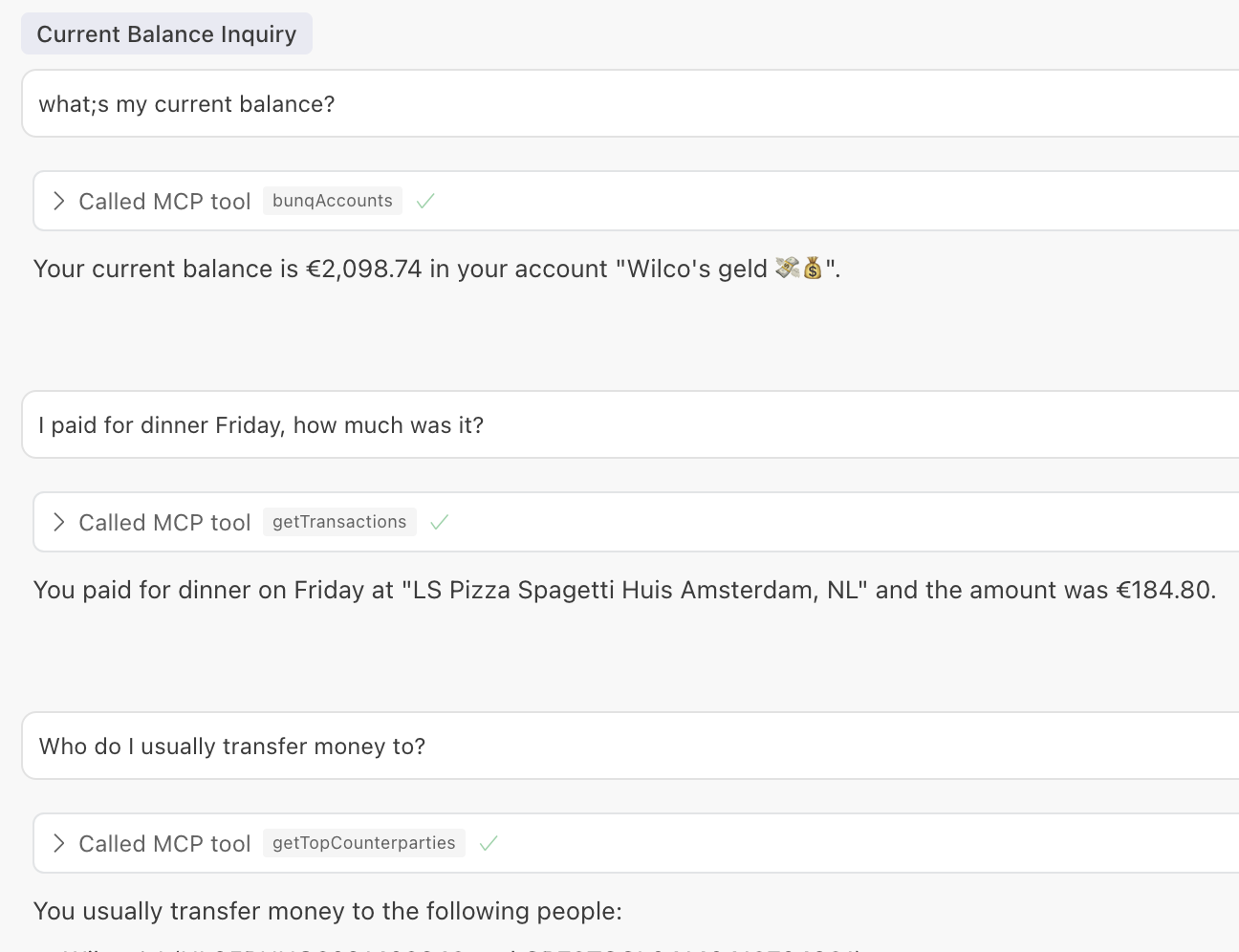
flow.You should now be able to ask a question, such as
mcp-remote in your home directory: rm -rf ~/.mcp-auth.Usage: bunq-mcp [options]
Options:
--help Show help
--version Show version
--generate-keys Generate private and public key pair for Bunq installation
--mcp Start MCP server
--host <host> Host (for MCP server)
--port <port> Port (for MCP server)
--bunq-client-id <id> Bunq client ID (alternative to BUNQ_CLIENT_ID env var)
--bunq-client-secret <secret> Bunq client secret (alternative to BUNQ_CLIENT_SECRET env var)
--bunq-api-key <key> Bunq API key (alternative to BUNQ_API_KEY env var)
.dev.vars file in the root directory with the following content:# When set to 1 the public/private key pair in this repo is used. IS_DEVELOPMENT=1 # Create OAuth client in the Bunq app BUNQ_CLIENT_ID= BUNQ_CLIENT_SECRET=
npm run dev
{
  "mcpServers": {
    "bunq-mcp": {
      "command": "npx",
      "args": ["-y", "mcp-remote", "http://localhost:8788/sse"]
    }
  }
}
{ "Error": [{ "error_description": "Not enough permissions to create payment." }] }