AI基础设施代理
HTTP-SSE基于自然语言的AI智能AWS基础设施管理
基于自然语言的AI智能AWS基础设施管理
⚠️ Proof of Concept Project: This repository contains a proof-of-concept implementation of an AI-powered infrastructure management agent. It is currently in active development and not intended for production use. We plan to release a production-ready version in the future. Use at your own risk and always test in development environments first.


Intelligent AWS infrastructure management through natural language interactions
AI Infrastructure Agent is an intelligent system that allows you to manage AWS infrastructure using natural language commands. Powered by advanced AI models (OpenAI GPT, Google Gemini, or Anthropic Claude), it translates your infrastructure requests into executable AWS operations while maintaining safety through conflict detection and resolution.
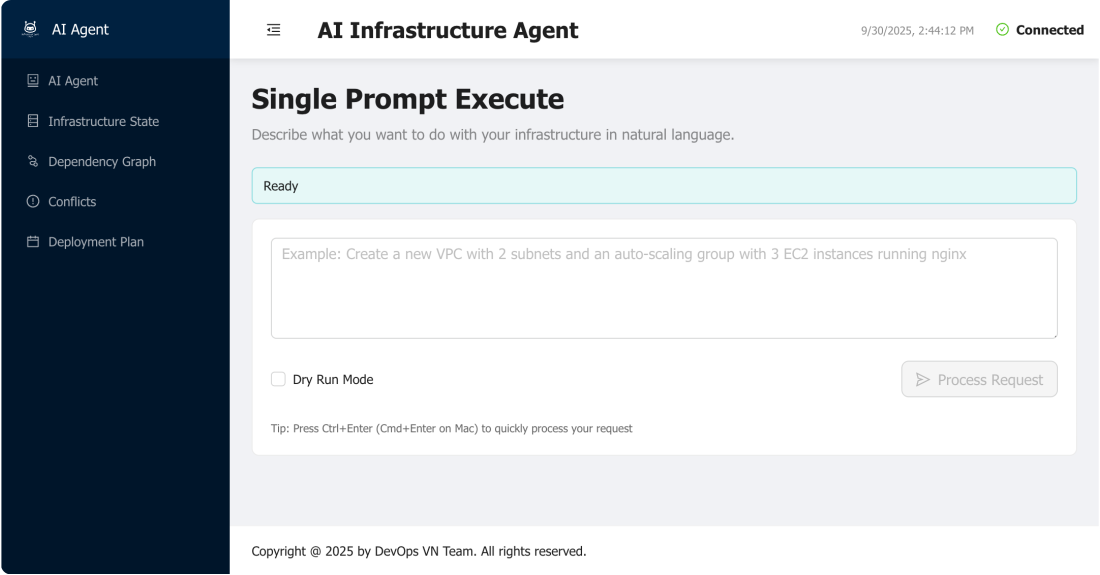
Imagine you want to create AWS infrastructure with a simple request:
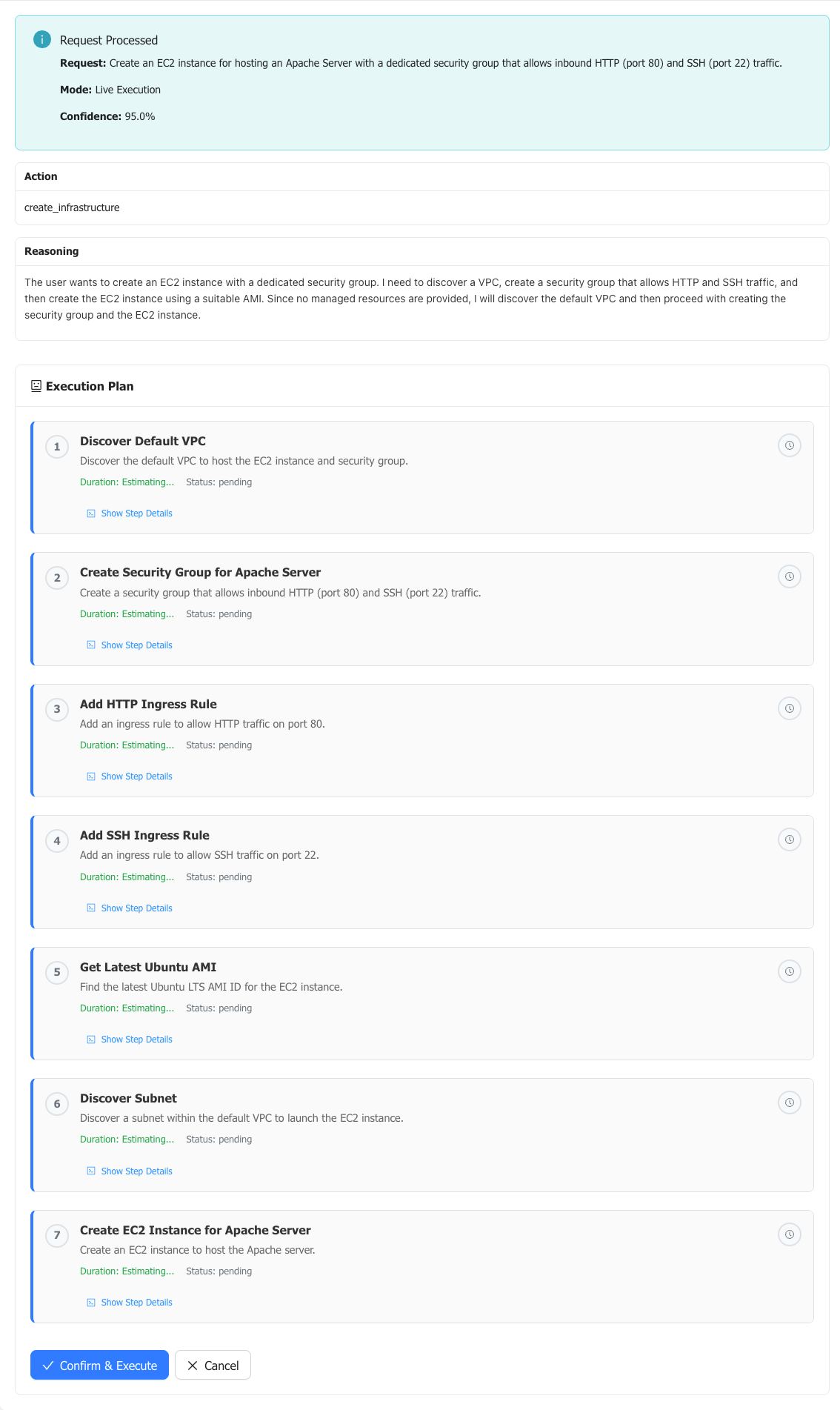
"Create an EC2 instance for hosting an Apache Server with a dedicated security group that allows inbound HTTP (port 80) and SSH (port 22) traffic."
💡 Amazon Nova Users: When using AWS Bedrock Nova models, you may want to specify the region in your request for better context, e.g., "Create an EC2 instance in us-east-1 for hosting an Apache Server..."
Here's what happens:
The AI agent analyzes your request and creates a detailed execution plan:
sequenceDiagram
    participant U as User
    participant A as AI Agent
    participant S as State Manager
    participant M as MCP Server
    participant AWS as AWS APIs

    U->>A: "Create EC2 instance for Apache Server..."
    A->>S: Get current infrastructure state
    S->>A: Return current state
    A->>M: Query available tools & capabilities
    M->>A: Return tool capabilities
    A->>A: Generate execution plan with LLM
    A->>AWS: Validate plan (dry-run checks)
    AWS->>A: Validation results
    A->>U: Present execution plan for approval

    Note over A,U: Plan includes:<br/>• Get Default VPC<br/>• Create Security Group<br/>• Add HTTP & SSH rules<br/>• Get Latest AMI<br/>• Create EC2 Instance
The agent presents the plan for your review:
Once approved, the agent:
Check Live Demo
Detailed Guides: Installation Guide
git clone https://github.com/VersusControl/ai-infrastructure-agent.git
cd ai-infrastructure-agent
# Edit the main configuration
nano config.yaml
Choose your preferred AI provider in config.yaml:
agent:
  provider: "openai"          # Options: openai, gemini, anthropic, bedrock, ollama
  model: "gpt-4"             # Model to use
  max_tokens: 4000
  temperature: 0.1
  dry_run: true              # Start with dry-run enabled
  auto_resolve_conflicts: false
Detailed Setup Guides:
# For OpenAI
export OPENAI_API_KEY="your-openai-api-key"

# For Google Gemini
export GEMINI_API_KEY="your-gemini-api-key"

# For Anthropic Claude
export ANTHROPIC_API_KEY="your-anthropic-api-key"

# For Ollama (optional - defaults to http://localhost:11434)
export OLLAMA_SERVER_URL="http://localhost:11434"

# For AWS Bedrock Nova - use AWS credentials (no API key needed)
# Configure AWS credentials using: aws configure, environment variables, or IAM roles
# Configure AWS CLI
aws configure

# Or set environment variables
export AWS_ACCESS_KEY_ID="your-access-key"
export AWS_SECRET_ACCESS_KEY="your-secret-key"
export AWS_DEFAULT_REGION="us-west-2"
Basic Docker Run:
docker run -d \
  --name ai-infrastructure-agent \
  -p 8080:8080 \
  -v $(pwd)/config.yaml:/app/config.yaml:ro \
  -v $(pwd)/states:/app/states \
  -e OPENAI_API_KEY="your-openai-api-key-here" \
  -e AWS_ACCESS_KEY_ID="your-aws-access-key" \
  -e AWS_SECRET_ACCESS_KEY="your-aws-secret-key" \
  -e AWS_DEFAULT_REGION="us-west-2" \
  ghcr.io/versuscontrol/ai-infrastructure-agent
Docker Compose (Recommended). Create a docker-compose.yml file:
version: '3.8'

services:
  ai-infrastructure-agent:
    image: ghcr.io/versuscontrol/ai-infrastructure-agent
    container_name: ai-infrastructure-agent
    restart: unless-stopped
    ports:
      - "8080:8080"
    volumes:
      # Mount configuration file (read-only)
      - ./config.yaml:/app/config.yaml:ro
      # Mount data directories (persistent)
      - ./states:/app/states
    environment:
      # AI Provider API Keys (choose one)
      - OPENAI_API_KEY=${OPENAI_API_KEY}
      # - GEMINI_API_KEY=${GEMINI_API_KEY}
      # - ANTHROPIC_API_KEY=${ANTHROPIC_API_KEY}

      # AWS Configuration
      - AWS_ACCESS_KEY_ID=${AWS_ACCESS_KEY_ID}
      - AWS_SECRET_ACCESS_KEY=${AWS_SECRET_ACCESS_KEY}
      - AWS_DEFAULT_REGION=${AWS_DEFAULT_REGION:-us-west-2}
Start the application:
# Start with Docker Compose
docker-compose up -d

# View logs
docker-compose logs -f

# Stop the application
docker-compose down
# Clone the repository
git clone https://github.com/VersusControl/ai-infrastructure-agent.git
cd ai-infrastructure-agent

# Run the installation script
./scripts/install.sh
Start the Web UI:
./scripts/run-web-ui.sh
Open your browser and navigate to:
http://localhost:8080
# Simple EC2 instance
"Create a t3.micro EC2 instance with Ubuntu 22.04"

# Web server setup
"Deploy a load-balanced web application with 2 EC2 instances behind an ALB"

# Database setup
"Create an RDS MySQL database with read replicas in multiple AZs"

# Complete environment
"Set up a development environment with VPC, subnets, EC2, and RDS"

Read detail: Technical Architecture Overview
All operations can be run in "dry-run" mode first:
git checkout -b feature-namegit commit -m "Add feature"git push origin feature-name# Check AWS credentials aws sts get-caller-identity # Verify permissions aws iam get-user # Test basic AWS access aws ec2 describe-regions
# Check API key is set
echo $OPENAI_API_KEY

# Test API connection
curl -H "Authorization: Bearer $OPENAI_API_KEY" \
     https://api.openai.com/v1/models
# Check what's using the port
lsof -i :8080
lsof -i :3000

# Kill processes if needed
kill -9 <pid>

# Or change ports in config.yaml
# Clean module cache
go clean -modcache

# Re-download dependencies
go mod download
go mod tidy

# Rebuild
go build ./...
Try increase max_tokens:
agent:
  provider: "gemini"              # Use Google AI (Gemini)
  model: "gemini-2.5-flash-lite"
  max_tokens: 10000 # <-- increase
This project is licensed under the MIT License - see the LICENSE file for details.
This is a proof-of-concept project. While we've implemented safety measures like dry-run mode and conflict detection, always:
The authors are not responsible for any costs, data loss, or security issues that may arise from using this software.
Built with ❤️ by the DevOps VN Team
Empowering infrastructure management through AI
