
Tabby
HTTP-SSEAI-powered terminal control and automation through Model Context Protocol server.
AI-powered terminal control and automation through Model Context Protocol server.


Powerful Tabby plugin that implements Model Context Protocol (MCP) server, enabling AI-powered terminal control and automation.
Plugin for Tabby Terminal - a modern, highly configurable terminal emulator.
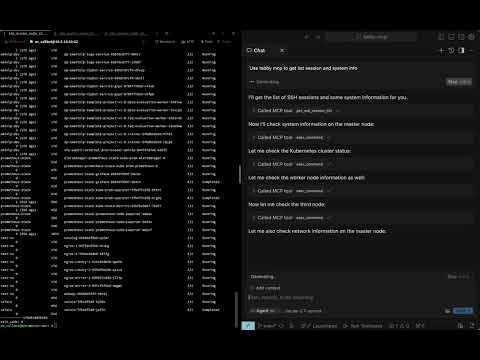
Watch the full video demonstration of Tabby-MCP in action:
You can build and install the plugin using Docker with the following command:
git clone https://github.com/thuanpham582002/tabby-mcp-server.git
cd tabby-mcp-server
# Build the Docker image
docker build -t tabby-mcp . && docker run -v $(pwd)/build:/output tabby-mcp
bash scripts/copy_to_plugin_folder.sh
This command builds a Docker image tagged as 'tabby-mcp' and runs a container from this image, mounting your local 'build' directory to '/output' in the container. The script scripts/copy_to_plugin_folder.sh will copy the built files to the Tabby plugin folder.
Example AI prompt:
Connect to my Tabby MCP server and list all available terminal sessions.
Then execute the command "ls -la" in the first available terminal.
To configure AI clients to use your MCP server, add the following to your ~/.cursor/mcp.json file:
STDIO mode:
{
  "mcpServers": {
    "Tabby MCP": {
      "command": "npx",
      "args": [
        "-y",
        "tabby-mcp-stdio",
        "--port",
        "3001"
      ]
    }
  }
}
SSE mode:
{
  "mcpServers": {
    "Tabby MCP": {
      "type": "sse",
      "url": "http://localhost:3001/sse"
    }
  }
}
Select your preferred MCP server in your AI client settings. The Tabby MCP plugin must be running for the "Tabby MCP" (SSE) option to work, while the STDIO and Docker options will start their own server instances.
Configure the MCP server through the Tabby settings:
{
  "mcp": {
    "port": 3001,
    "host": "http://localhost:3001",
    "enableLogging": false,
    "startOnBoot": true,
    "pairProgrammingMode": {
      "enabled": true,
      "showConfirmationDialog": true,
      "autoFocusTerminal": true
    }
  }
}
The plugin includes a "Pair Programming Mode" that adds safety features when AI assistants control your terminal:
To enable Pair Programming Mode:
| Tool | Description | Parameters |
|---|---|---|
get_ssh_session_list | Get list of all terminal sessions | None |
exec_command | Execute a command in terminal | command, tabId, commandExplanation |
get_terminal_buffer | Get terminal content | tabId, startLine, endLine |
get_command_output | Retrieve complete command output | outputId, startLine, maxLines |
Contributions are welcome! Here's how you can help:
git checkout -b feature/your-feature)git commit -m 'Add your feature')git push origin feature/your-feature)See the contributing guidelines for more details.
Clone the repository and install dependencies:
git clone https://github.com/thuanpham582002/tabby-mcp-server.git
cd tabby-mcp-server
npm install
Make your changes to the codebase
Build the plugin:
docker build -t tabby-mcp . && docker run -v $(pwd)/build:/output tabby-mcp
Test the plugin with Tabby:
bash scripts/copy_to_plugin_folder.sh
This project is licensed under the MIT License - see the LICENSE file for details.
Made with ❤️ by Pham Tien Thuan