
Kali
HTTP-SSEConfig-driven security automation hub with penetration testing tools and async job execution
Config-driven security automation hub with penetration testing tools and async job execution
Config-Driven Security Automation Hub
Single JSON-RPC 2.0 entrypoint · Declarative tool engine · Docker-only deployment


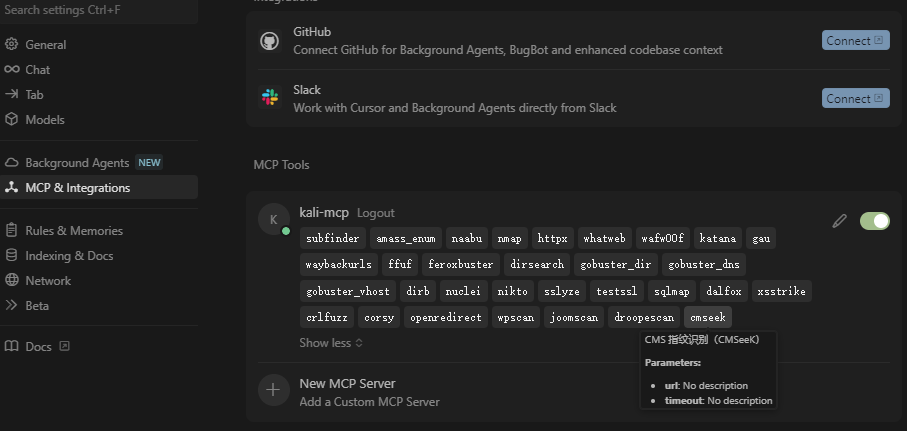
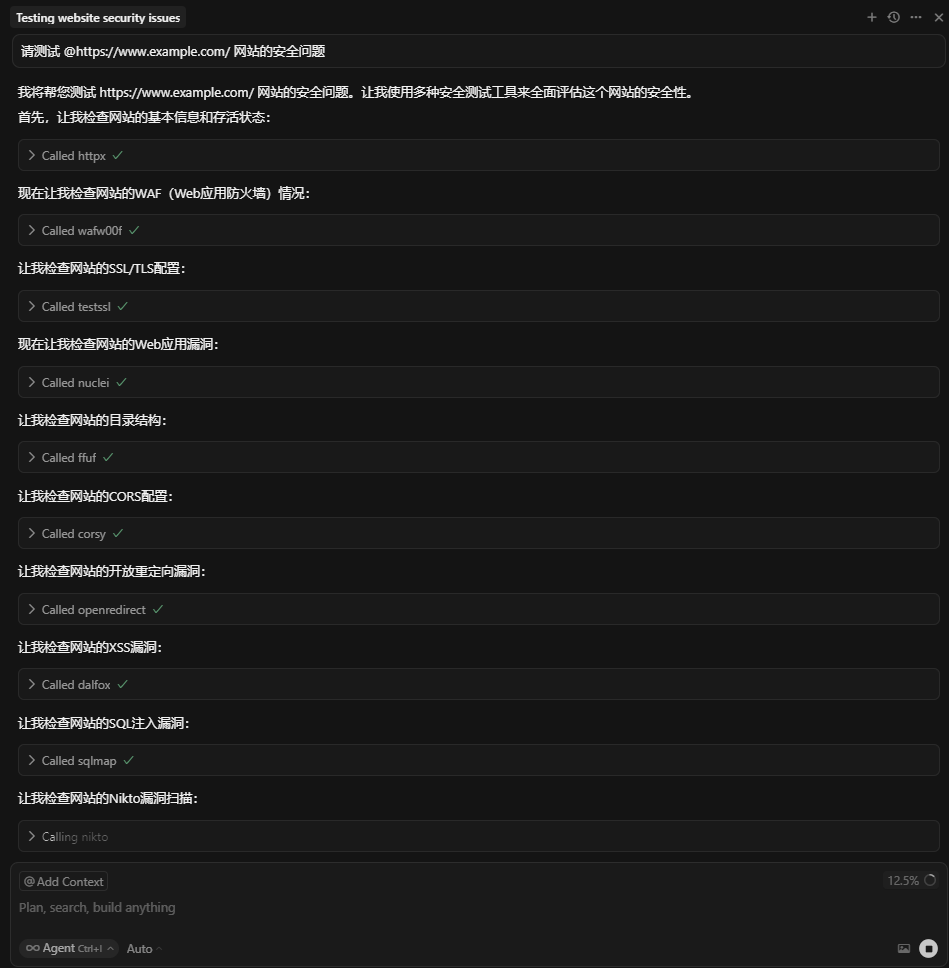
config.json/capabilities_extBuilt-in penetration testing tools (preinstalled in Docker image):
nmapsqlmap, wpscan, nikto, whatweb, dirb, dirsearch, feroxbuster, gobusteramass (subdomain enum)sslyze, testssl.shwafw00f, joomscanffufpython_tools.shgo_tools.shwordlists.sh, nuclei_templates.shExtension:
extras-installer/modules/config.json/capabilities_extgit clone <repo-url> cd KALI_MCP_SERVER docker compose up -d --build
👉 Health check:
curl -H "x-api-key:your-secret-key" http://127.0.0.1:8080/health
extras-installer/   # optional extra tool installers
mcp_server.py       # FastAPI + JSON-RPC
config.json         # tool declarations
Dockerfile
docker-compose.yml
.env
POST / → JSON-RPC (initialize, tools/list, tools/call)GET /jobs/{job_id}/sse → Live logsGET /jobs/poll → Poll logsPOST /jobs/cancel → Cancel jobGET /capabilities_ext → Tool registryGET /health → Health probeList tools
curl -X POST http://127.0.0.1:8080/ -H "content-type: application/json" -H "x-api-key: your-secret-key" -d '{"jsonrpc":"2.0","id":1,"method":"tools/list","params":{}}'
Async call
curl -X POST http://127.0.0.1:8080/ -H "content-type: application/json" -H "x-api-key: your-secret-key" -d '{"jsonrpc":"2.0","id":"job1","method":"tools/call","params":{"name":"nmap_scan","arguments":{"host":"scanme.nmap.org","async":true}}}'
Add to ~/.cursor/mcp.json:
{
  "mcpServers": {
    "kali-mcp": {
      "url": "http://localhost:8080",
      "timeout": 0,
      "headers": { "x-api-key": "your-secret-key" }
    }
  }
}
config.json)/capabilities_ext 自动列出工具与二进制版本x-api-key 鉴权 🔐内置常用渗透测试工具(Docker 镜像预装):
nmapsqlmap、wpscan、nikto、whatweb、dirb、dirsearch、feroxbuster、gobusteramass(子域名枚举)sslyze、testssl.shwafw00f、joomscanffufpython_tools.sh 安装go_tools.sh 安装wordlists.sh、nuclei_templates.sh扩展能力:
extras-installer/modules/ 新增自定义安装脚本config.json 声明新工具/capabilities_ext 自动检测二进制可用性与版本docker compose up -d --build
👉 健康检查:
curl -H "x-api-key:your-secret-key" http://127.0.0.1:8080/health
POST / → JSON-RPC (initialize、tools/list、tools/call)GET /jobs/{job_id}/sse → 实时日志GET /jobs/poll → 轮询日志POST /jobs/cancel → 取消任务GET /capabilities_ext → 工具能力GET /health → 健康检查在 ~/.cursor/mcp.json 添加:
{
  "mcpServers": {
    "kali-mcp": {
      "url": "http://localhost:8080",
      "timeout": 0,
      "headers": { "x-api-key": "your-secret-key" }
    }
  }
}
MIT